Setting Visualizer Behavior
SYQEL moves through visuals on its own by default. You choose how in Settings › Playback. Changes apply straight away, with nothing to save.
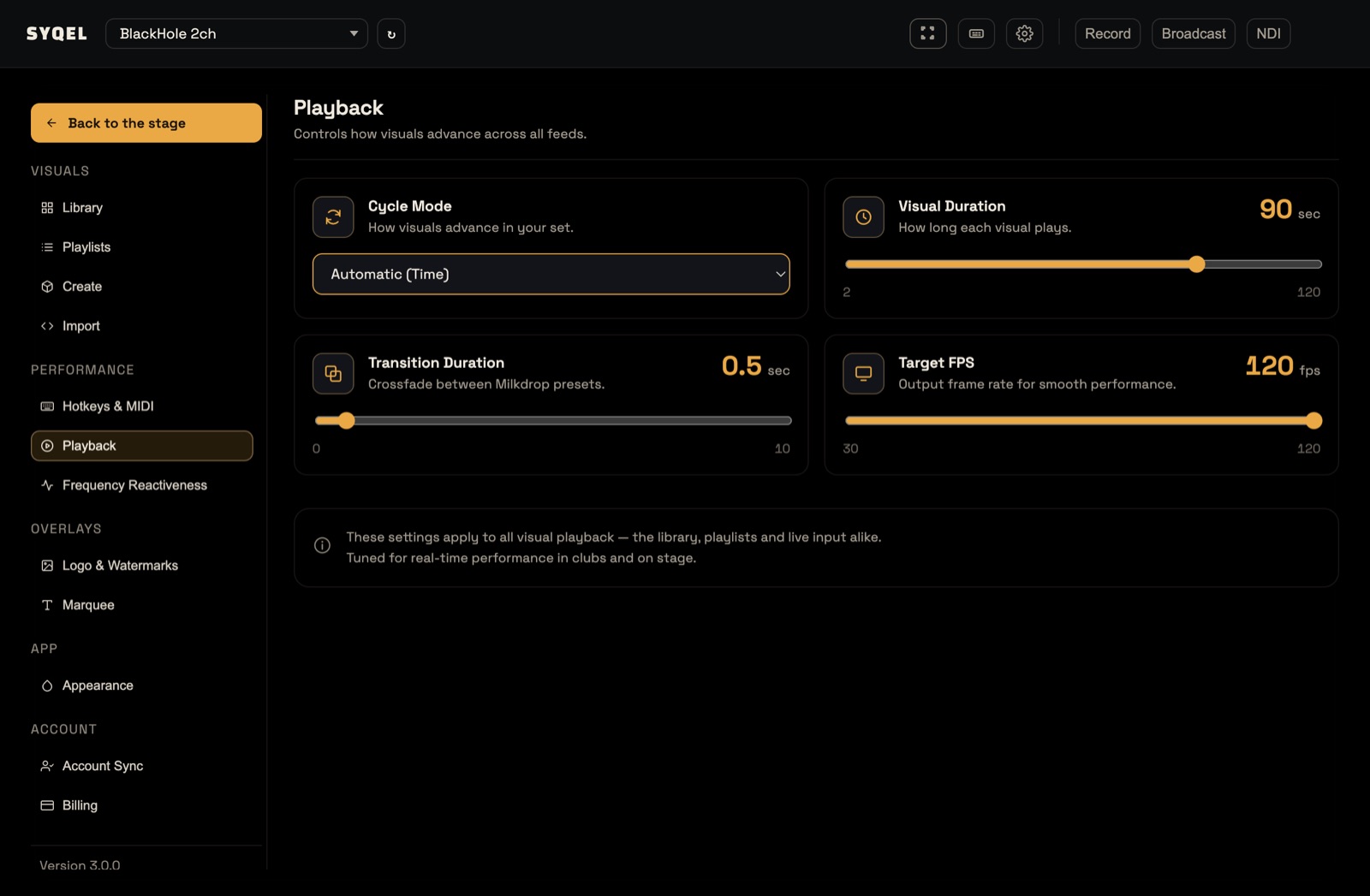
Cycle Mode
- Automatic (Time) (the default): a new visual every Visual Duration seconds.
- Automatic (BPM): a new visual every so many measures of your music.
- Manual: the visual changes only when you press Next or pick one.
The other settings
- Visual Duration: how long each visual plays in Automatic (Time), from 2 to 120 seconds. The default is 12. You can also type it in the Duration field of the Now Playing panel.
- Transition Duration: how long one Milkdrop preset crossfades into the next, from 0 to 10 seconds. The default is 2. It has no effect on the other feeds. The Transition field in the Now Playing panel sets the same thing.
- Target FPS: the output frame rate: 30, 60 or 120. The default is 120. How smoothly it runs depends on your computer and browser.
BPM mode
Choosing Automatic (BPM) adds a Beat card:
- BPM: the tempo, from 40 to 240.
- Advance every: 4, 8, 16, 24, 32 or 64 measures. The default is 8.
The web app detects the BPM from your music and uses it; until it locks on, it uses the BPM you set. At 120 BPM, advancing every 8 measures changes the visual every 16 seconds.
Next, Previous and Lock
These work in every mode, from the buttons under the Now Playing panel, the keyboard, or a MIDI pad:
- Next (Space, or ›) moves to the next visual in what you’re playing from, and restarts the timer.
- Previous (Backspace, or ‹) goes back to the visual you were actually watching before, even if you jumped there from somewhere else.
- Lock (Enter, or the padlock) holds the current visual. Auto-advance stops, and Next and Previous are disabled until you release it. Clicking a visual in the strip or the Library, or a key or pad bound to a visual or playlist, still works while locked. The lock releases on its own when you switch to a visual from a different feed.
Two more things to know:
- Auto-advance pauses while Settings › Library is open, so browsing never changes the show.
- What plays is set by Playing from in the performance bar. See Visual Feeds.
You can change these keys, or map them to a controller, in Settings › Hotkeys & MIDI. See Default Keyboard Shortcuts.
Did this help? If you’re still stuck, email support@syqel.com.