For your craft
Live visuals that move with your mix
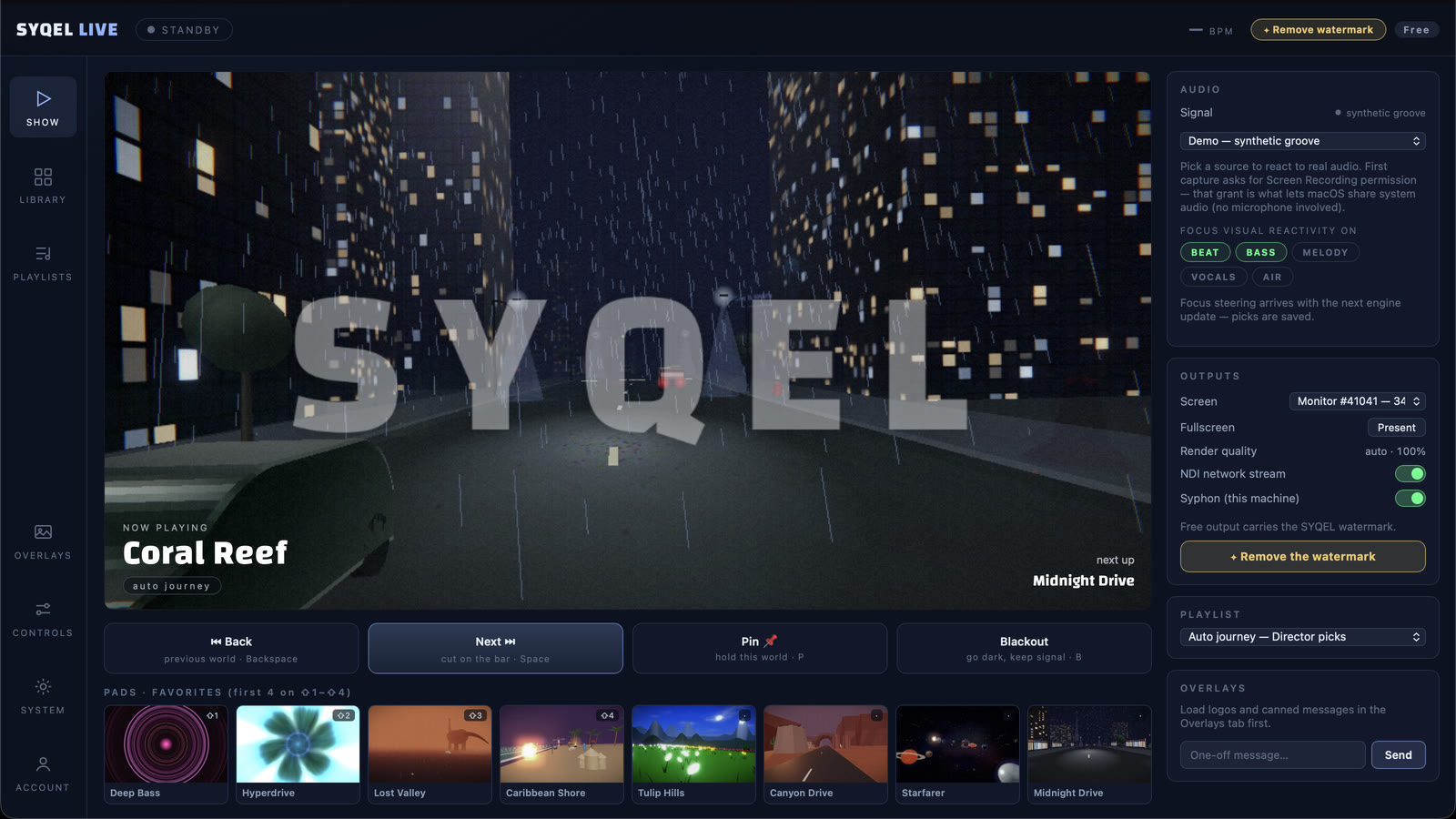
You already control the room with sound. SYQEL gives you the screen too — beat-synced visuals that react to your live set in real time, whatever software you spin on.
Free to try · Windows & macOS · No card required
Want full creative control instead? SYQEL Desktop →
Adding visuals to a DJ set usually means hiring a VJ or wrestling with video clips that never quite line up with the music. SYQEL takes a different route: it listens to your live output and generates visuals that move with it, automatically. That means the screen is always in time, even when you drop an unplanned track or stretch a breakdown. Whether you're a mobile DJ working weddings, a club resident, or building a brand on livestreams, it's a way to look as good as you sound without taking your hands off the decks.
How SYQEL works with DJs
Works with your software
Serato, rekordbox, Traktor, VirtualDJ, djay — it doesn't matter. SYQEL reacts to the audio you're already playing, so there's nothing to integrate.
Hands stay on the music
The visuals react on their own. Pick a look (or let a playlist of them rotate) and focus on the mix while SYQEL keeps the screen in time.
From laptop to full rig
Run it on a second screen for an intimate gig, or send it into OBS, Resolume, and the venue's walls over Spout, Mac Screen Share, or NDI.
Always on the beat
No timeline to cue and no clips drifting out of sync. The visuals are driven by your live audio, so they hit exactly when the music does.
Brand every set
Add your logo and marquee text so promoters, clients, and stream viewers see your name on the screen all night.
Match any vibe
Thousands of presets plus AI-generated shaders let you dial the energy from a cocktail set to a peak-time room.
Great on stream
Pipe visuals straight into OBS for Twitch and YouTube so your livestreams have a living, reactive backdrop.
Frequently asked questions
Which DJ software does SYQEL work with?
All of them. Because SYQEL reacts to your live audio output rather than hooking into a specific app, it works with Serato, rekordbox, Traktor, VirtualDJ, djay, Engine DJ, Mixxx, and anything else that makes sound.
Do I have to control the visuals while I mix?
No. The visuals react automatically. You can set a single look or a rotating playlist of them and leave it running, or tweak things live if you want — it's up to you.
Can I use it for livestreams?
Yes. SYQEL outputs into OBS and other broadcast tools via Spout, Mac Screen Share, and NDI, so your Twitch and YouTube streams get a reactive visual backdrop.
Make your sound look as good as it feels.
Every SYQEL is free to try. Answer a few questions and we’ll point you at the right one.