How to Manage Your SYQEL Subscription: Edit, Cancel and Update Your Credit Card Info
SYQEL uses Stripe for billing. You manage everything in the Stripe billing portal, which you can open from the app.
From the app
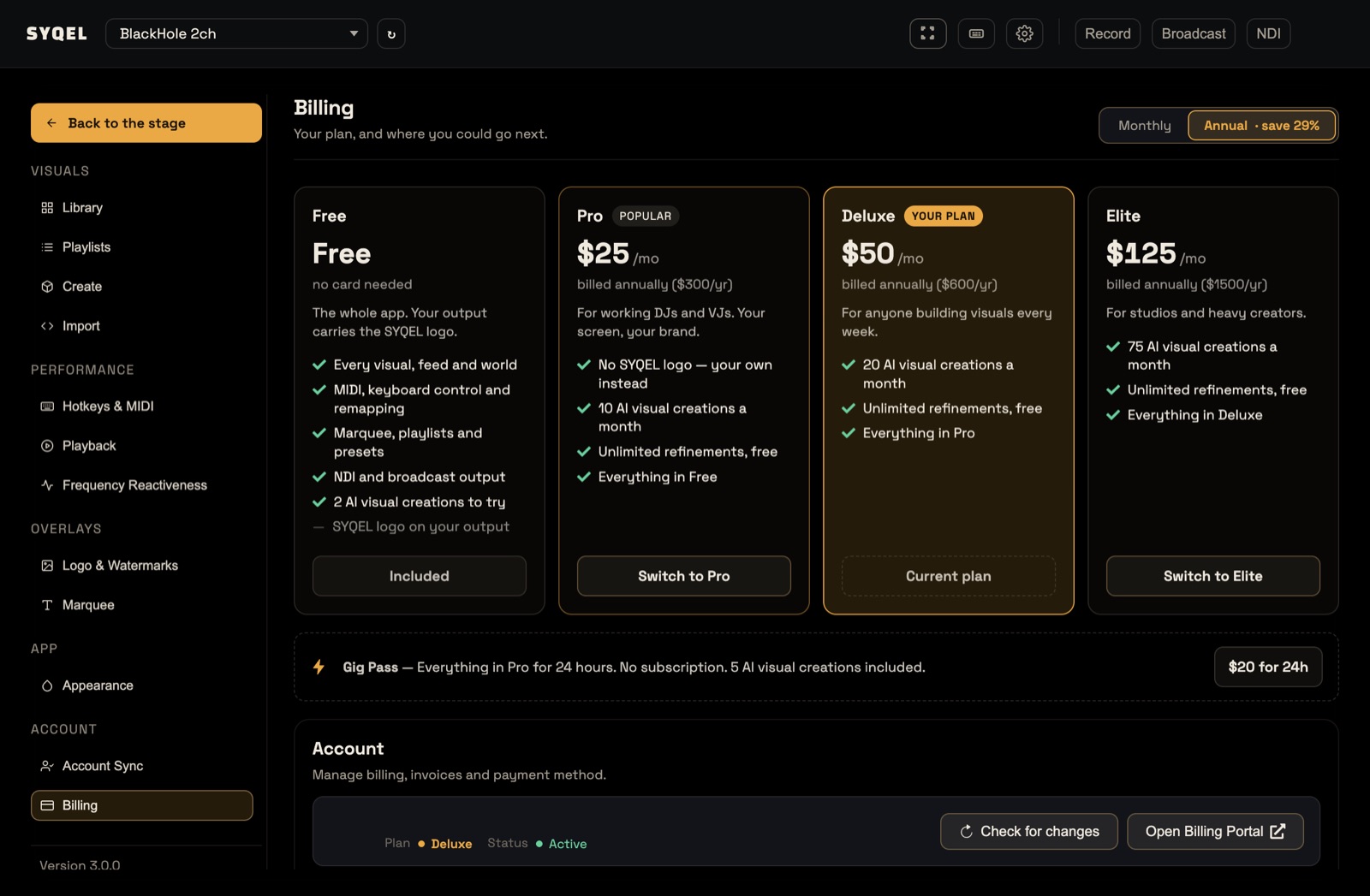
- Click your avatar in the top bar and choose Billing (or open Settings › Billing).
- Click Open Billing Portal. It opens in your browser.
- Change your plan, cancel, update your card or download invoices there.
- Back in SYQEL, click Check for changes so the app picks up your new plan straight away.
To move to another plan, you can also use the Switch to button on its card in Billing.
Without the app
Go to the billing portal directly: pay.syqel.com. Use the same email you signed up to SYQEL with.
Compare plans at syqel.com/pricing/desktop.
Did this help? If you’re still stuck, email support@syqel.com.