For your craft
Live visuals for DJs who stream
A black screen kills a music stream. SYQEL gives your Twitch and YouTube DJ sets a living, beat-synced backdrop that reacts to your mix in real time — and drops straight into OBS.
Free to try · Windows & macOS · No card required
Want full creative control instead? SYQEL Desktop →
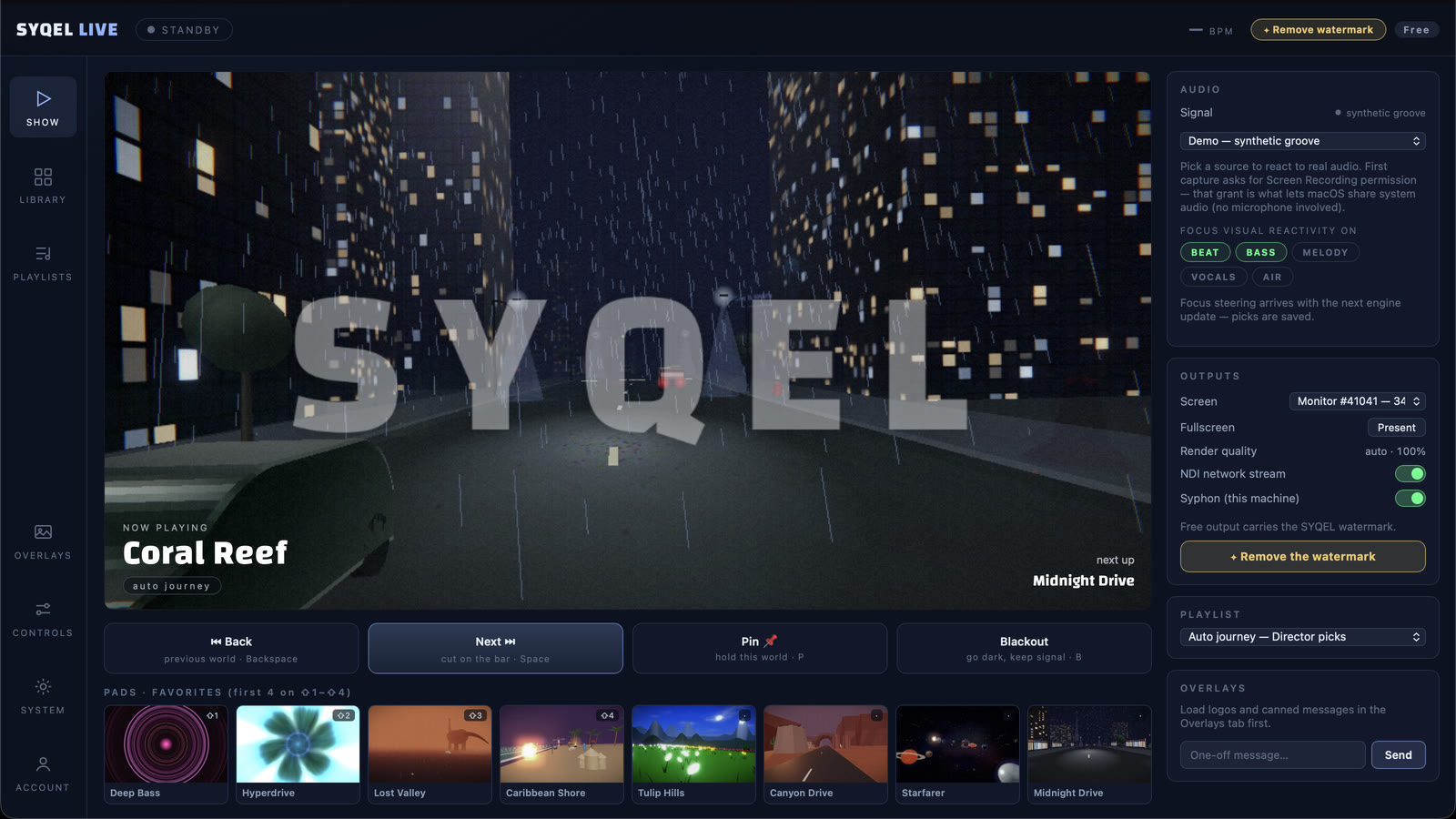
Streaming a DJ set is a different game from playing a room: the camera is on you, the chat is watching, and a static overlay gets old fast. SYQEL fixes the visual half. It listens to your live output and generates reactive visuals that move with every track, so your stream always has something worth looking at — without hiring a VJ or looping the same clip for three hours. Pipe it into OBS, brand it with your handle, and look as good as you sound to everyone watching.
How SYQEL works with DJs who stream
Run it next to your DJ software
Serato, rekordbox, Traktor, VirtualDJ — it doesn’t matter. SYQEL reacts to the audio you’re already streaming, so there’s nothing to integrate.
Send it into OBS
Add SYQEL as a source in OBS via Spout, Mac Screen Share, or NDI — no laggy screen-capture — and composite it behind your cam and overlays.
Brand it and go live
Drop in your handle and logo, pick a look or let a playlist rotate, and start the stream. The visuals keep themselves in time.
Built for OBS
Clean Spout / Mac Screen Share / NDI output into OBS and Streamlabs — a proper video source, not a screen grab.
Never a dead screen
The backdrop reacts to your mix the whole set, so there’s always motion on stream — even during long blends.
Your channel, your brand
Put your handle and logo on the visuals so every clip and VOD reinforces who’s playing.
Fresh every stream
Thousands of presets plus AI-generated looks mean your stream never shows the same loop twice.
Frequently asked questions
Does SYQEL work with OBS for streaming?
Yes. SYQEL outputs into OBS (and Streamlabs) via Spout on Windows, Mac Screen Share on macOS, and NDI over a network. You add it as a source and composite it behind your camera and overlays — no screen-capture hacks.
Will it sync to whatever I’m mixing live?
Always. SYQEL reacts to your live audio output rather than a fixed video, so the visuals stay locked to your mix even when you drop an unplanned track or stretch a breakdown.
Can viewers see my logo on the visuals?
Yes. On Pro and above you can overlay a custom logo and marquee text, so your handle is on screen for everyone watching your stream and in every clip.
Make your sound look as good as it feels.
Every SYQEL is free to try. Answer a few questions and we’ll point you at the right one.