Works with your setup
Beat-reactive visuals for Pioneer DJ setups
SYQEL works with any Pioneer DJ hardware or software setup by reacting directly to your audio output — so whether you are on CDJs, an XDJ rig, or DDJ controllers, your set gets a visual layer.
Free to try · Windows & macOS · No card required
Want full creative control instead? SYQEL Desktop →
Pioneer DJ hardware is the industry standard in clubs and festivals worldwide, and most riders specify it for a reason — reliability and consistency under pressure. SYQEL respects that same principle: it does not depend on proprietary Pioneer data formats, Link protocol, or rekordbox metadata to function. It reads the audio leaving your mixer's master output and drives visuals in real time, which means it works whether you are on a full CDJ-3000 and DJM-A9 setup, an XDJ-RX3 all-in-one, or a DDJ controller running standalone.
How SYQEL works with Pioneer DJ
Connect to your mixer's output
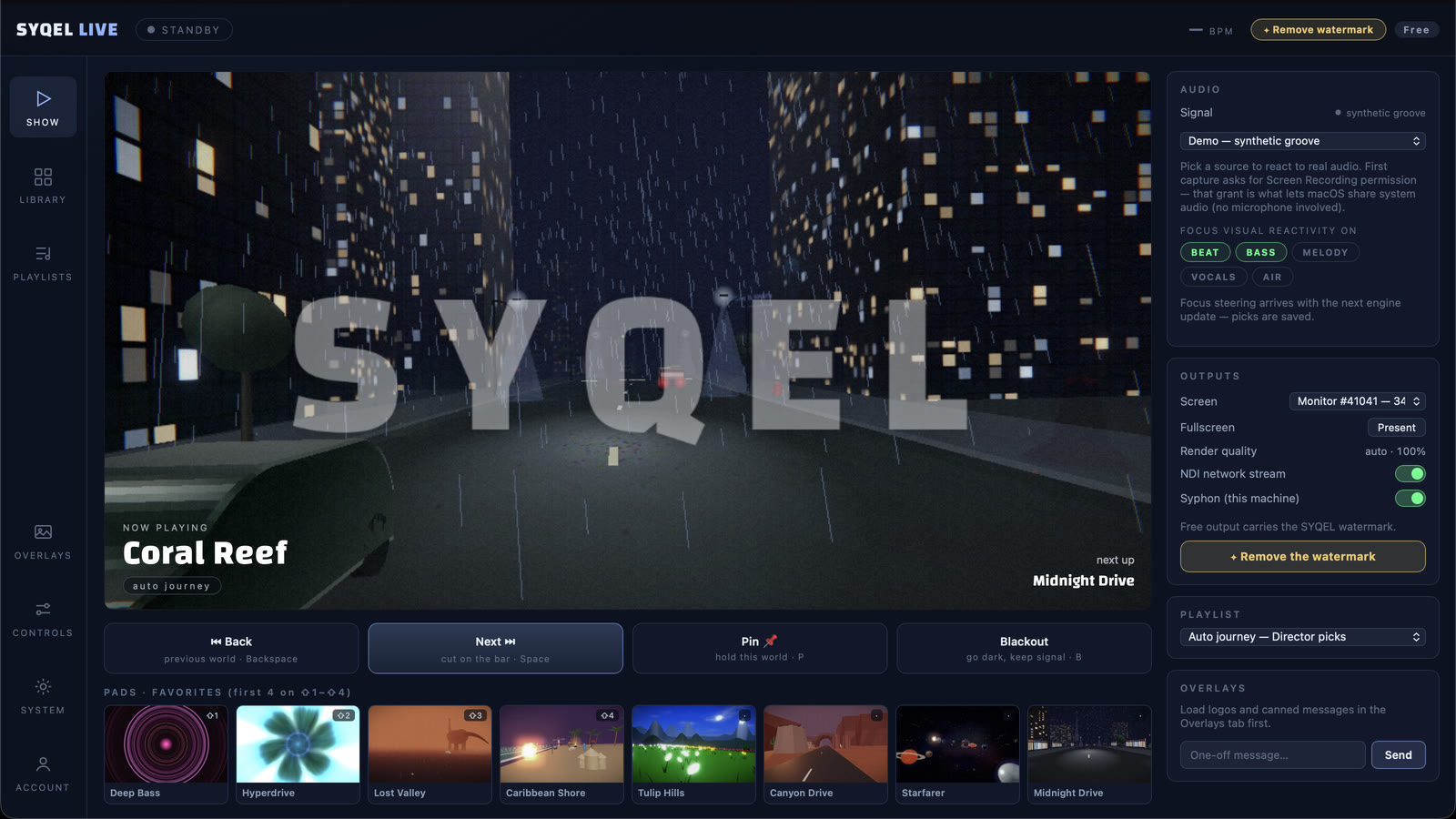
Run an audio cable from your Pioneer mixer's booth or record output into your laptop's input, or use system audio if you are on a controller setup. SYQEL picks it up instantly.
Select the source in SYQEL
Choose your input device and SYQEL's FFT engine starts analyzing beat, bass, and energy — every frame reacts to the live signal.
Throw visuals on any display
Fullscreen on a projector or LED wall, or send the output to OBS and Resolume via Spout, Mac Screen Share, or NDI for a full broadcast-quality rig.
Hardware-agnostic and always in sync
CDJs, XDJ, DDJ — it does not matter. SYQEL reacts to the audio, not the hardware protocol, so there is nothing to configure when you play a different rig.
Visuals for every venue scale
From a small bar with a TV to a main-stage LED wall, the same preset library scales across any display size and environment.
AI shader creation on the fly
Generate a bespoke audio-reactive shader for a specific event aesthetic by describing it in plain language — ready in seconds.
Feeds your AV chain directly
Spout, Mac Screen Share, and NDI output let you integrate SYQEL into a venue's existing AV system without workarounds.
Frequently asked questions
Does SYQEL work with the Pro DJ Link / rekordbox Link protocol on CDJs?
SYQEL does not use Pro DJ Link data. It reads the audio signal from your mixer output, which works across all Pioneer gear regardless of whether it is networked or running standalone.
How do I get Pioneer hardware audio into SYQEL on a laptop?
Connect your mixer's booth or record output to your laptop via a USB audio interface, or use a splitter from the master output. Select that input in SYQEL and you are ready to go.
Can a venue VJ operator use SYQEL with a Pioneer club install?
Yes. SYQEL's Spout, Mac Screen Share, and NDI outputs integrate cleanly into venue AV chains. A VJ laptop running SYQEL can feed visuals directly into Resolume or a media server alongside the DJ setup.
Make your sound look as good as it feels.
Every SYQEL is free to try. Answer a few questions and we’ll point you at the right one.