For venues & spaces
Set the lounge mood with music-driven visuals
A lounge lives or dies by its atmosphere. SYQEL adds a visual layer that responds to the music already playing — slow, intentional, and sophisticated — without the cost of a custom installation or the maintenance of a media server.
Free to try · Windows & macOS · No card required
Want full creative control instead? SYQEL Desktop →
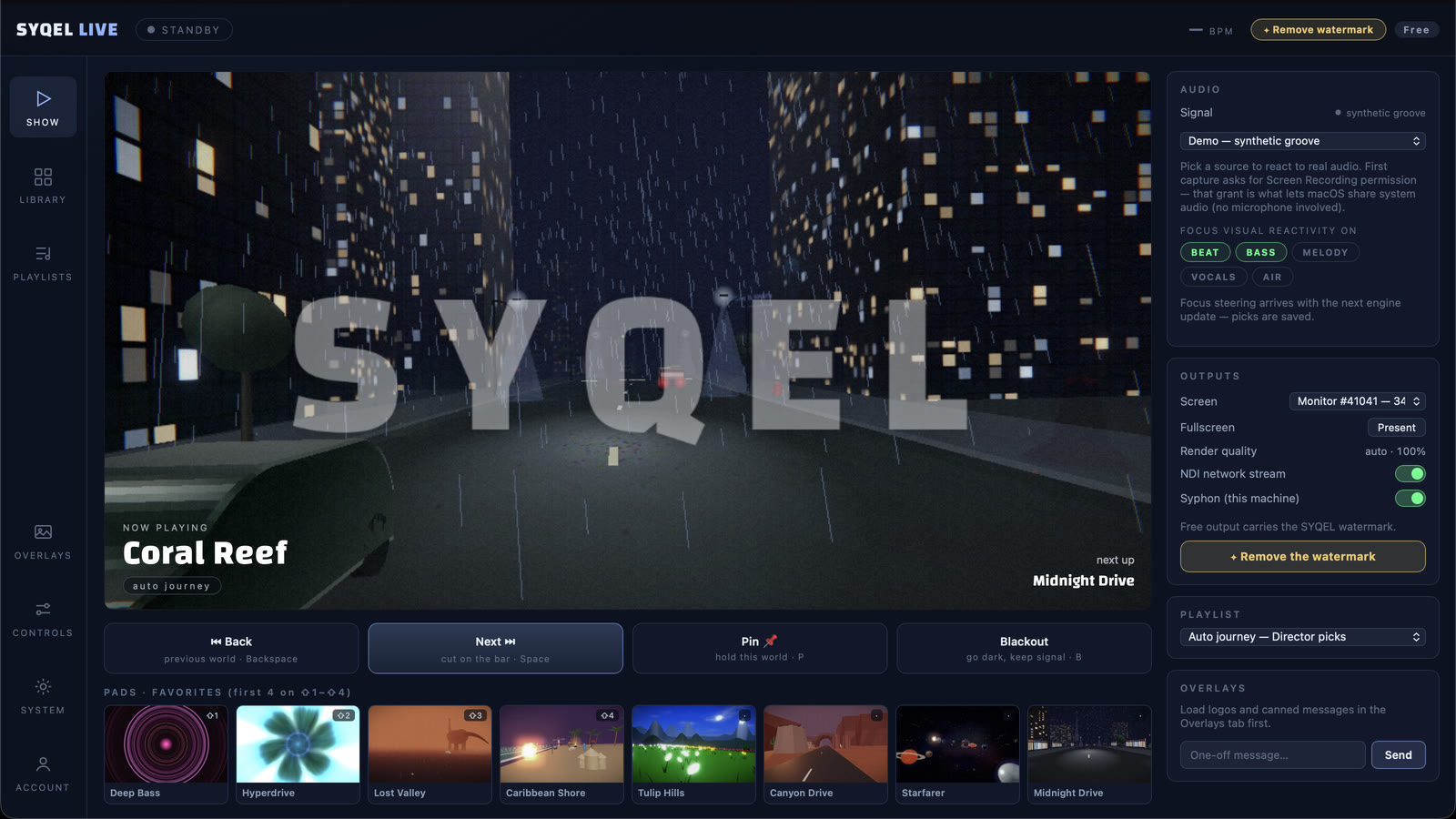
Lounge guests notice the sum of the experience: the dim lighting, the right music, the unhurried pace. Screens displaying stock footage or a blank default state undercut all of that effort. SYQEL converts your existing displays into ambient visual content that actually moves with the music — pulling back during a quiet piano piece, building slowly through a deeper electronic set late in the evening. The look stays consistent with your brand, runs without an operator, and can be changed in seconds if the night's energy calls for something different.
How SYQEL works with lounges
Take a feed from the DJ or music source
Plug into the lounge's audio feed — a line out from the bar's mixer or a dedicated aux send — and SYQEL immediately begins reading tempo, energy, and frequency.
Dial in the right aesthetic
Select from slow, fluid, abstract looks that suit a cocktail-hour crowd. Save a handful of approved presets so the bar manager can shift the vibe without an AV call.
Run it across all screens
Send the same visual to every display in the space over NDI, or push separate looks to the back bar versus the lounge area.
Sophisticated, not flashy
The visual library includes slow, generative, abstract works that suit a premium lounge aesthetic — nothing that feels like a nightclub screen mid-cocktail hour.
Genuine music response
Visuals aren't on a timer — they respond to what is actually playing, so a quieter set has a quieter visual and a late-night energy shift shows up on screen.
Multi-screen from one machine
One computer can feed multiple screens via NDI across the space, so back-bar displays and lounge feature walls stay in sync without additional hardware.
Custom branded looks
Overlay the lounge name, event name, or sponsor logo with custom colors on Pro — a clean way to set context without interrupting the visual experience.
Frequently asked questions
Can we control how slow or subtle the movement is?
Yes. SYQEL has hundreds of presets ranging from barely-moving ambient fields to richly textured slow animations. You choose which looks are available and how much energy is needed before they shift — full control over the tempo and intensity.
Does it work with a resident DJ or live music nights?
Absolutely. SYQEL reads any live audio feed, so it works just as well with a DJ booth's line out as with a streaming playlist. The visuals respond directly to whatever is playing in the room at that moment.
What display hardware does it support?
SYQEL outputs to any display connected to the host computer and can distribute over NDI to networked screens and projectors. It works with standard HDMI, DisplayPort, and existing AV routing systems.
Related setups
Make your sound look as good as it feels.
Every SYQEL is free to try. Answer a few questions and we’ll point you at the right one.