Works with your setup
Live visual performance for Engine DJ users
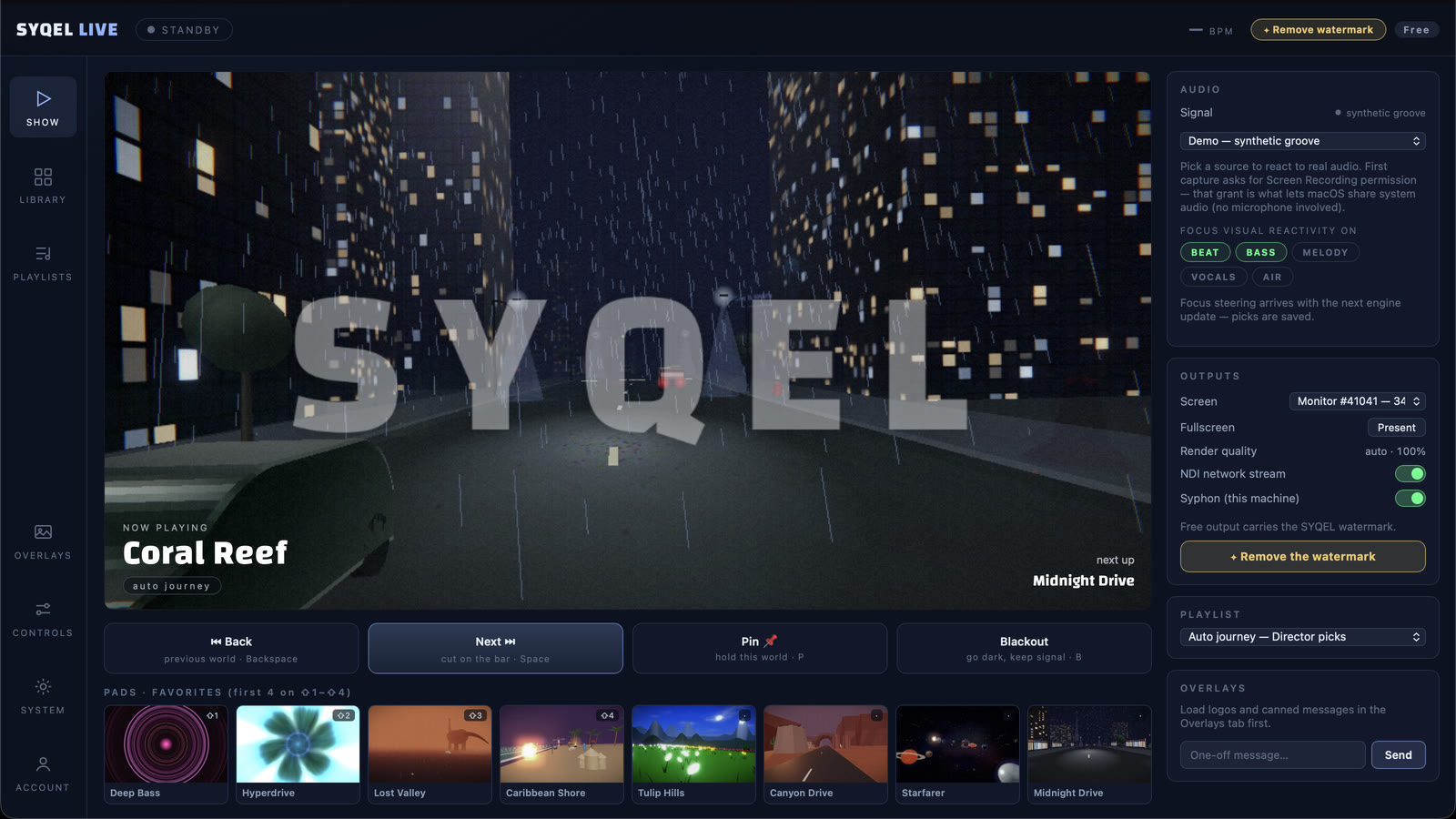
SYQEL runs alongside Engine DJ and converts your master output into a reactive visual experience — on a second screen, a projector, or a broadcast stream.
Free to try · Windows & macOS · No card required
Want full creative control instead? SYQEL Desktop →
Engine DJ powers the standalone players and software that many touring DJs rely on when they step behind a Denon or SC setup. SYQEL integrates into that workflow without touching it — it reads the audio coming out of your system and reacts to every phrase, filter sweep, and energy peak in real time. That makes it equally useful for a DJ running Engine DJ software on a laptop at a private event and for a performer pairing a laptop with a standalone controller on a festival stage.
How SYQEL works with Engine DJ
Plug SYQEL into your audio output
SYQEL needs no change to your Engine DJ settings. Select your audio interface or system output in SYQEL and the engine starts listening immediately.
Let the FFT engine drive the visuals
Beat, bass, energy, and frequency are analyzed in real time. The visual library responds to every dynamic shift in your mix without any manual input.
Output to screen or broadcast chain
Go fullscreen on a projector, or route visuals into OBS, Resolume, or a venue AV system via Spout, Mac Screen Share, or NDI.
Instant sync to your output
No video clips to prep before a gig. SYQEL reacts to the live audio, so the first bar you play is the first bar the visuals respond to.
A library built for live performance
Choose from thousands of presets across Milkdrop, Three.js, and GLSL to find a visual language that fits the venue and crowd.
Custom shaders on demand
SYQEL's AI lets you describe a visual style and generates a unique audio-reactive shader on the spot — no GLSL knowledge required.
Professional broadcast output
Spout, Mac Screen Share, and NDI send the reactive signal into your broadcast chain or venue AV system without screen-capture latency.
Frequently asked questions
Does SYQEL work with Engine DJ standalone hardware?
SYQEL runs on a laptop or desktop connected to your audio output. When using standalone players, run SYQEL on a laptop that receives audio from your mixer's booth or master output, then display or broadcast visuals from that machine.
Can I run Engine DJ software and SYQEL on the same Windows laptop?
Yes. SYQEL is designed to run alongside DJ software on shared hardware. A modern mid-range laptop handles both without issue in most cases.
Is there a free trial before I commit to Pro features?
SYQEL is free to try with no credit card required — evaluate the full visual library and reactive engine, then subscribe to unlock branding, AI generation, and pro output.
Make your sound look as good as it feels.
Every SYQEL is free to try. Answer a few questions and we’ll point you at the right one.